Introducing the New Zoom Web Experience
October 1, 2026
Zoom recently rolled-out a redesigned web portal with a new homepage, updated navigation, and reorganized account settings. Use the guide below to see what has changed and where to find the tools you use most.
Visit zoom.miami.edu and sign in using your University of Miami credentials. Availability of the new experience varies by account type.
Looking for reports or recordings?
Find Reports, Recordings and Transcripts, Settings, and Summaries under My account. The grid icon in the upper-right corner opens the new product menu.
Explore What's New
Select a section to view details and screenshots.
A Redesigned Homepage
The new homepage has a layout similar to the Zoom desktop application. From this page, you can start, join, or schedule a meeting and quickly access meeting content.
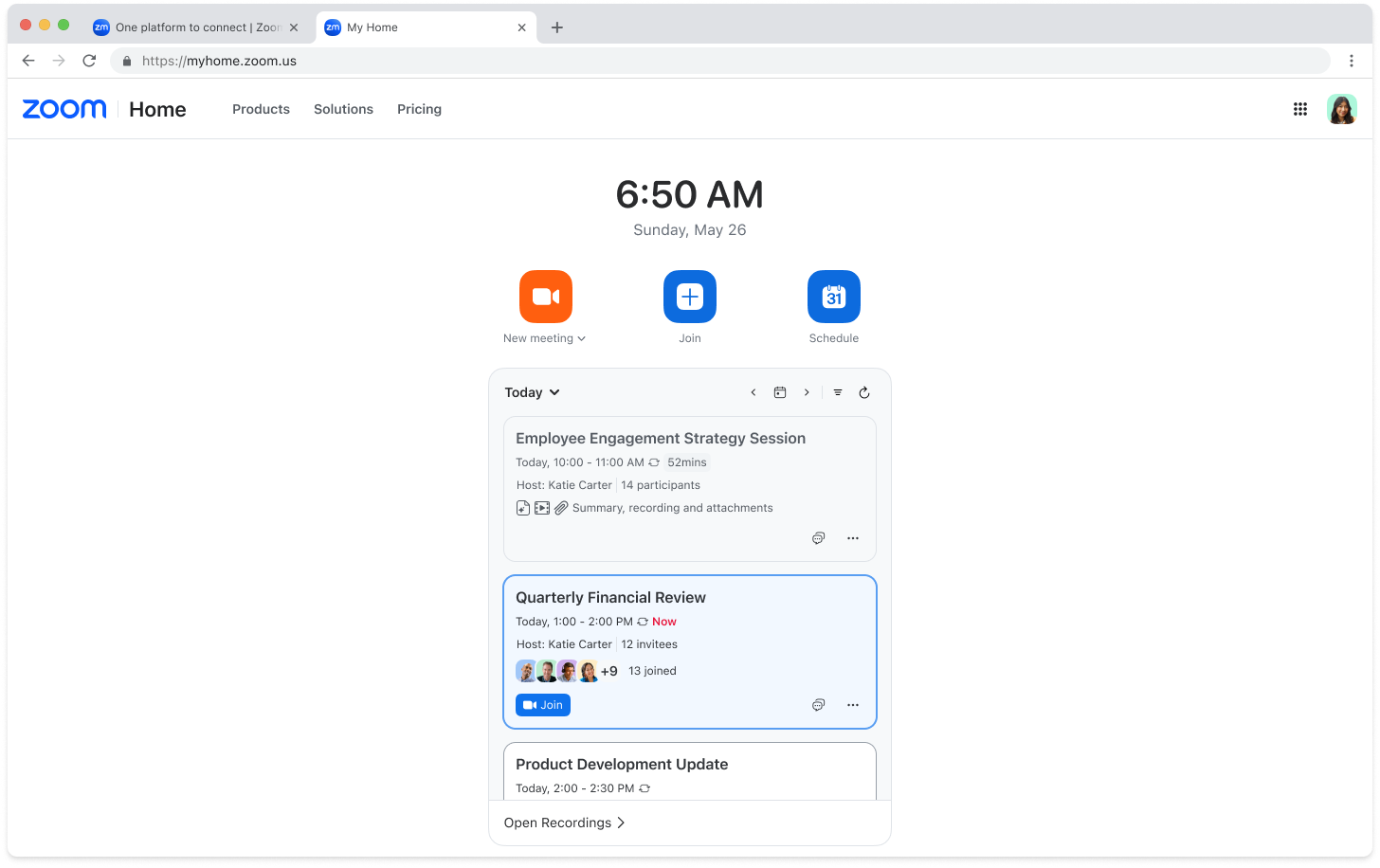
Updated Header and Navigation
The header provides access to Home, the product menu, and the Profile menu. These navigation options appear across the web portal.
Before

After

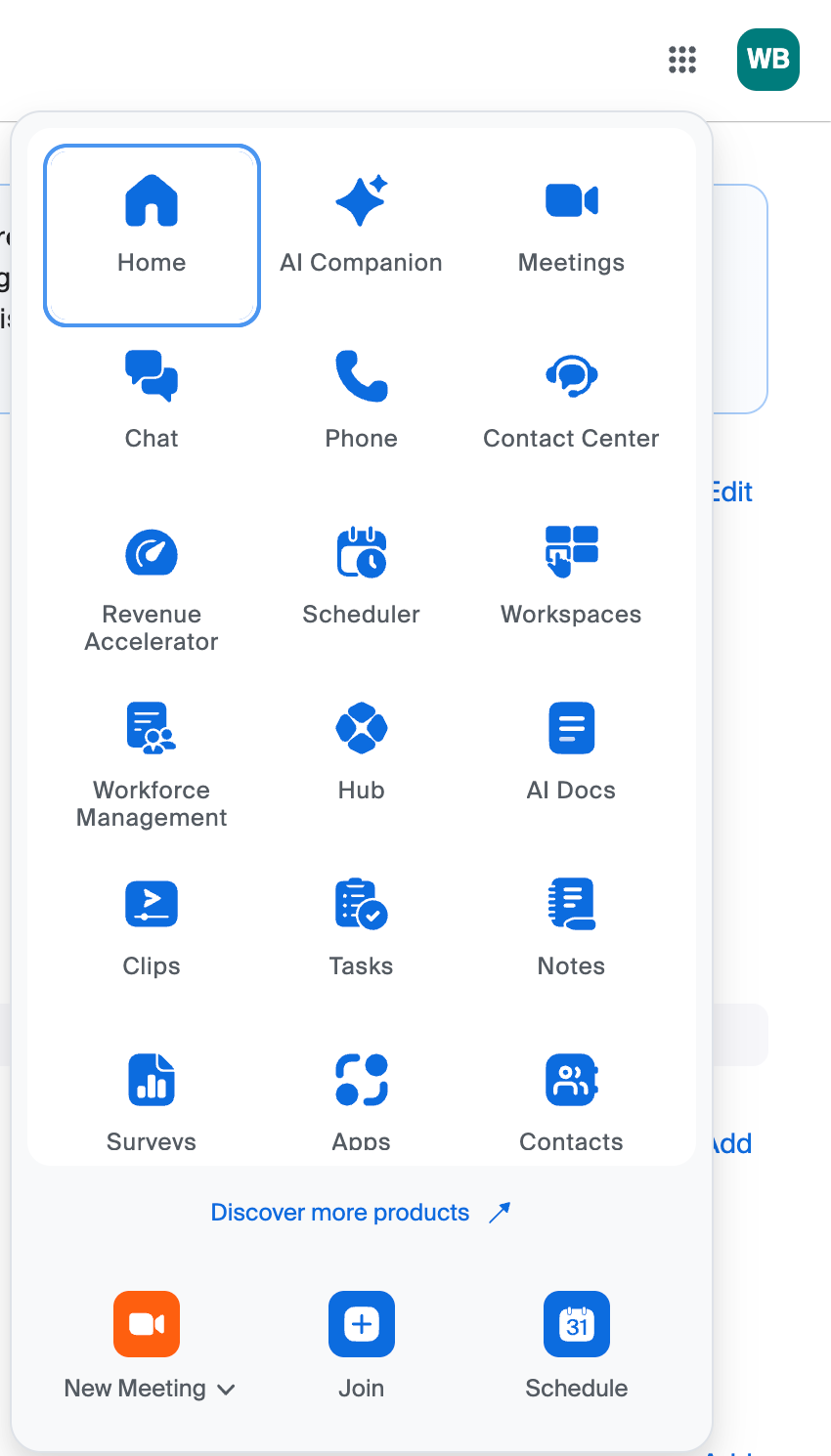
A New Product Menu
The grid icon in the upper-right corner, which Zoom calls the product waffle menu, replaces the previous left-side product navigation. Select a product to open it in a new browser tab and access its features and settings.
You can customize the order of products by opening the menu and dragging items into your preferred order.
Before
After
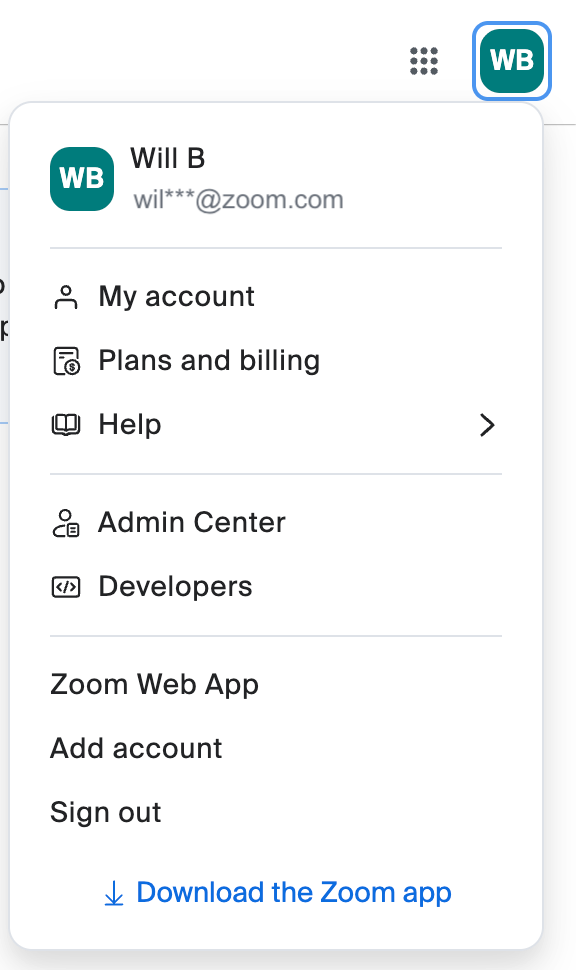
An Expanded Profile Menu
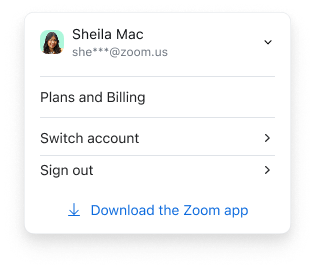
The Profile menu is located in the upper-right corner next to the product menu. It separates personal account options from administrative controls.
- Profile: Access your personal profile information.
- Settings: Access your individual Zoom settings.
- Admin Center: Access account management if you have the appropriate administrative permissions.
Before
After
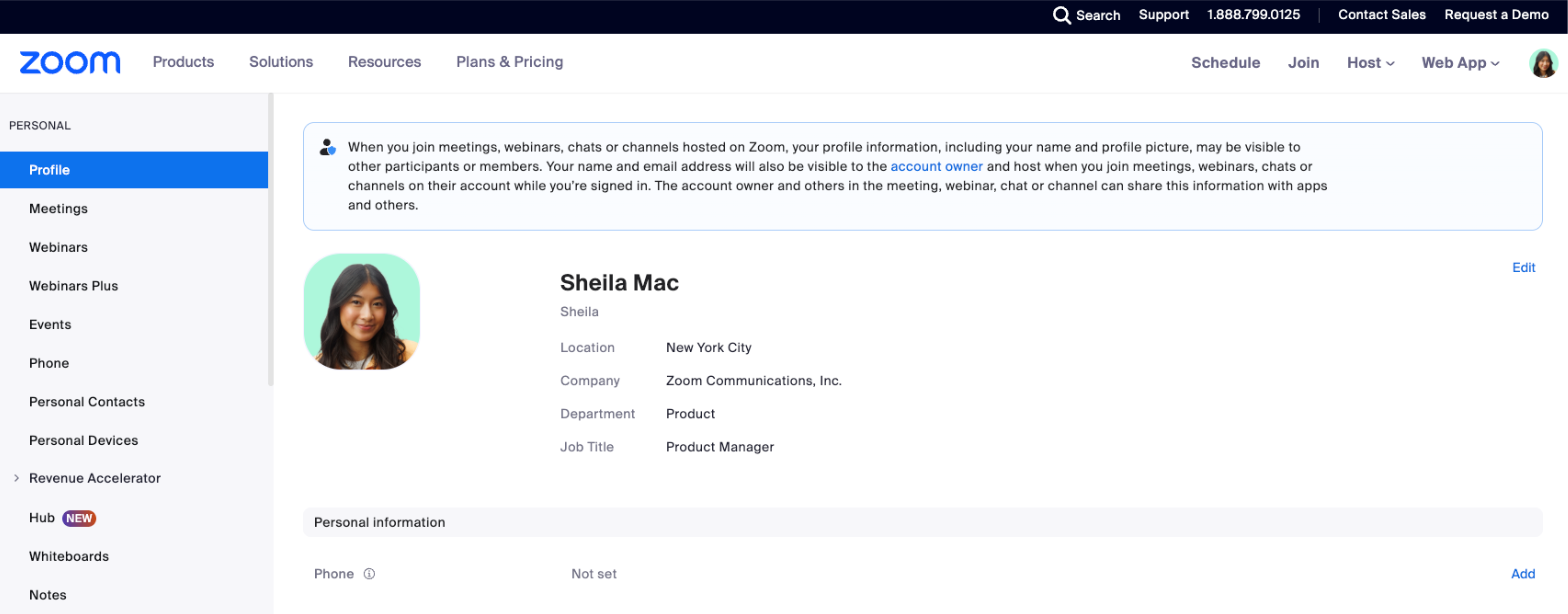
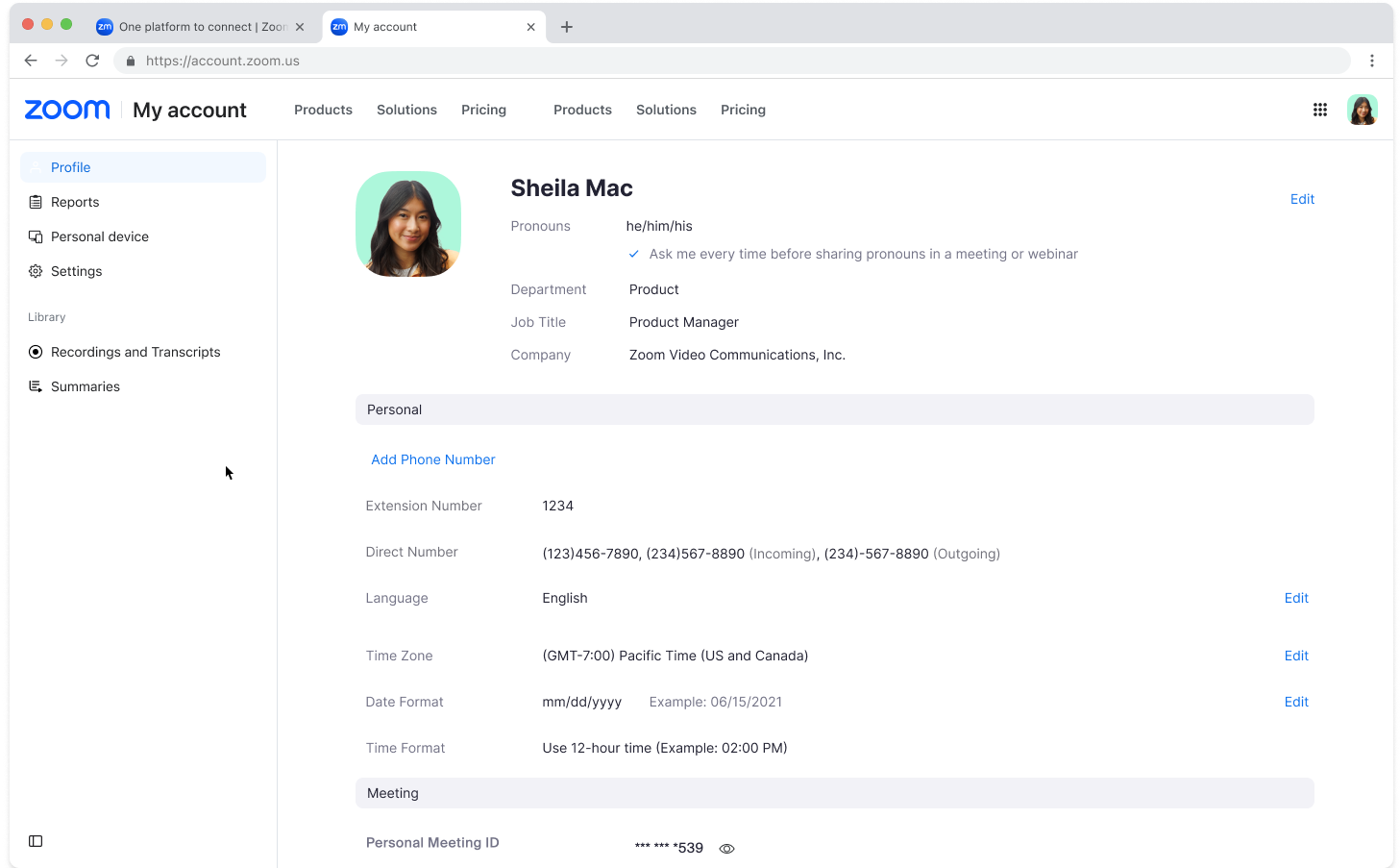
Reports, Recordings, and Settings: My Account
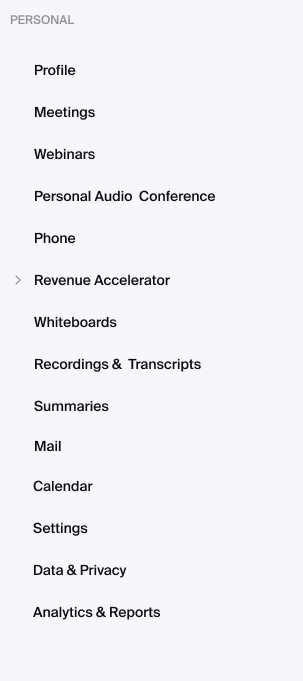
Several options previously available in the left-side navigation are now organized under My account, including:
- Profile: Manage your name, profile picture, and other personal information.
- Reports: Previously labeled Analytics & Reports, this section provides usage reports for meetings, webinars, and other activities.
- Personal Contacts: Store and manage contacts in Zoom.
- Personal Devices: Manage collaboration devices configured on your account.
- Settings: Enable or disable features for your own use. Some settings may be controlled or locked by an account administrator.
- Recordings and Transcripts: Access cloud recordings, recordings shared with you, computer recordings, and transcripts.
- Summaries: Access your meeting summaries and summaries shared with you.
Before
After
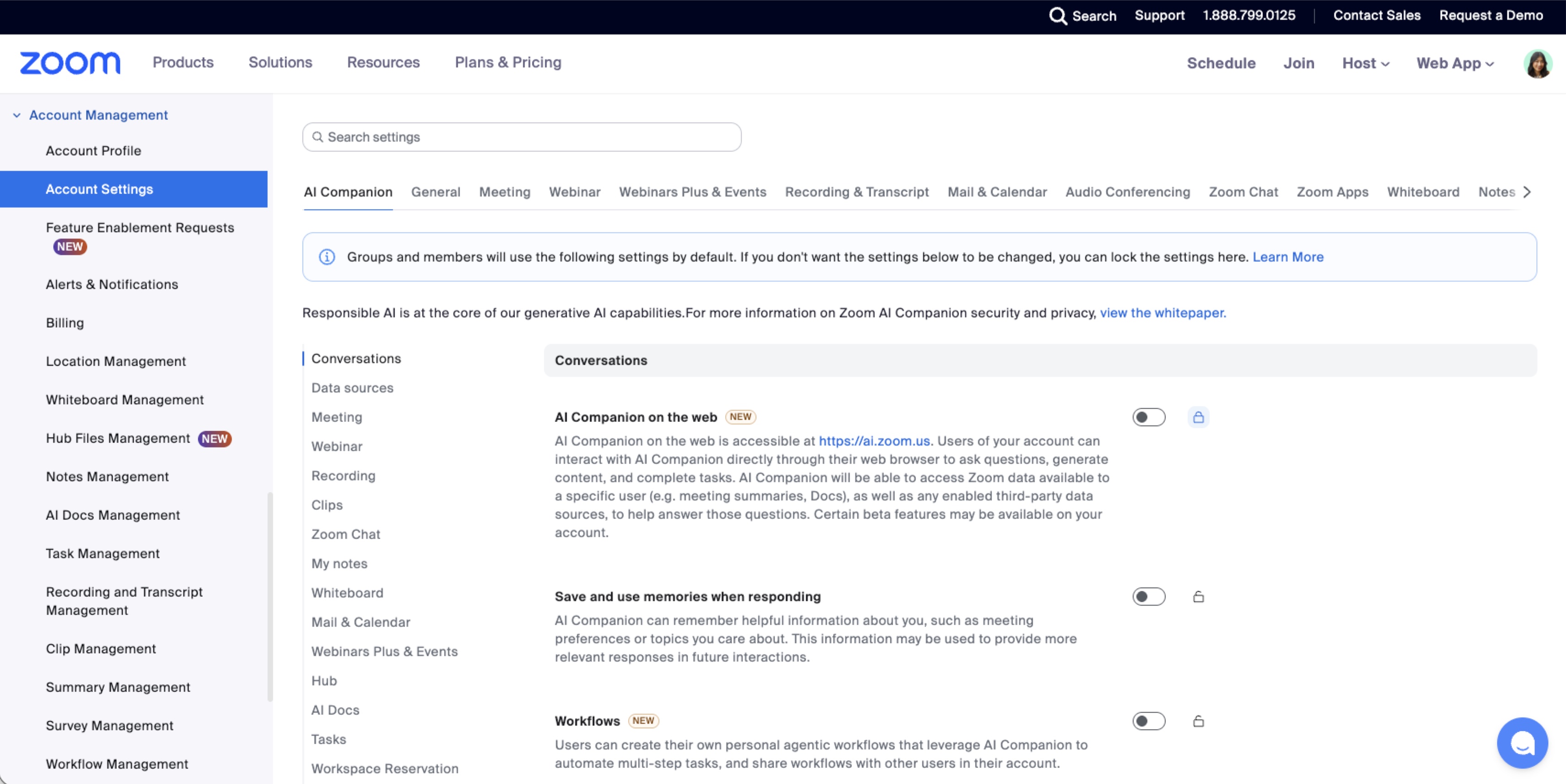
For Administrators: Admin Center and Branding
The Admin center replaces the previous Account Management (ADMIN) section. Account owners, administrators, and users with Role Management permissions can access it through the Profile menu.
- Updated Navigation: Administrative options are reorganized, with User Management now labeled Users and Account Settings now labeled Settings.
- Product Settings: Product navigation is handled through the updated left-side menu instead of the previous horizontal tabs.
- Search: A new search bar helps administrators find users, settings, and other Admin center pages.
- Existing Functionality: Administrative page functionality remains available. The options displayed depend on account type, permissions, and feature availability.
Before
After
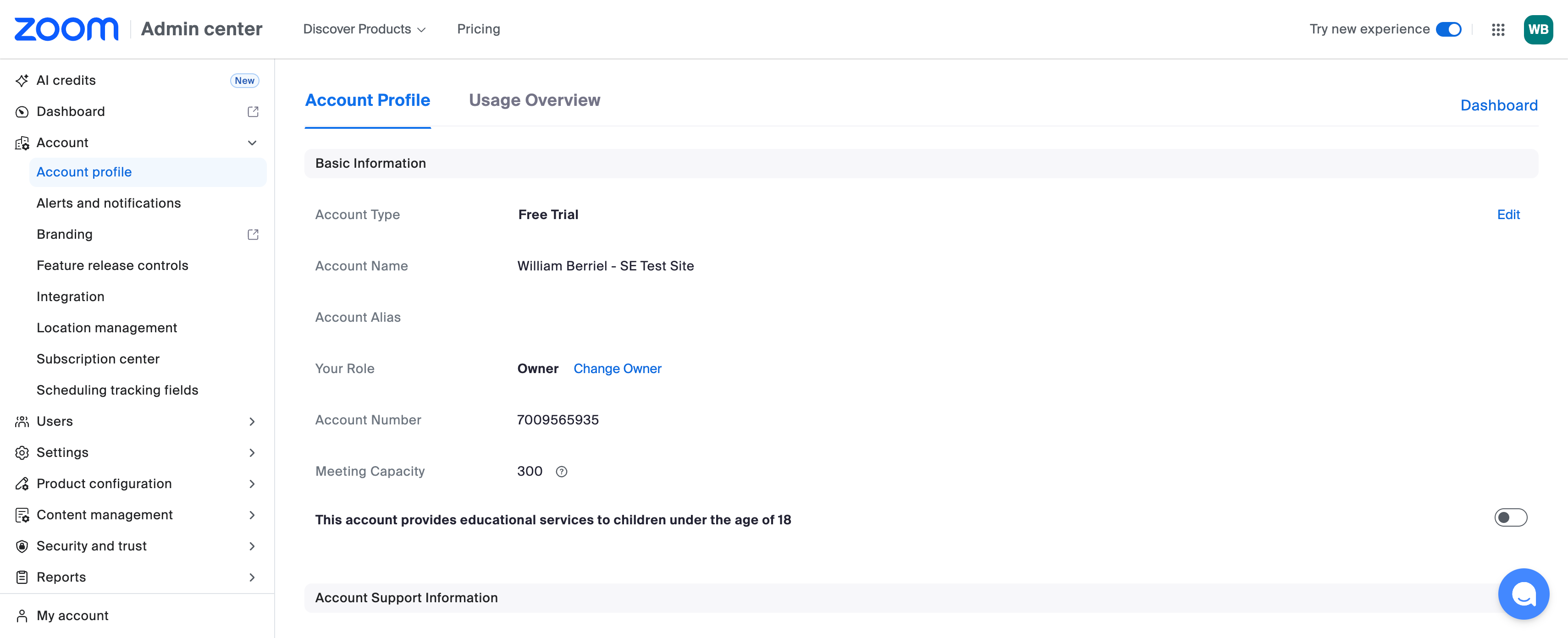
Review Custom Branding
Previously configured custom branding does not carry over to the new web experience. Review branding under Admin center > Account > Branding. Header and footer branding must be configured again, and custom CSS is no longer supported.
Images provided by Zoom. Available options may vary by account type and permissions.
Resources and Support
If you have any questions, please contact the IT Service Desk.