New Zoom Web Experience: Starting May 2026
The new Zoom web portal (zoom.miami.edu) experience offers a unified, intuitive interface that aims to help users to access key features faster and manage settings more efficiently.
Zoom Web Portal Simplification Enhancements
Redesigned Web Home Experience
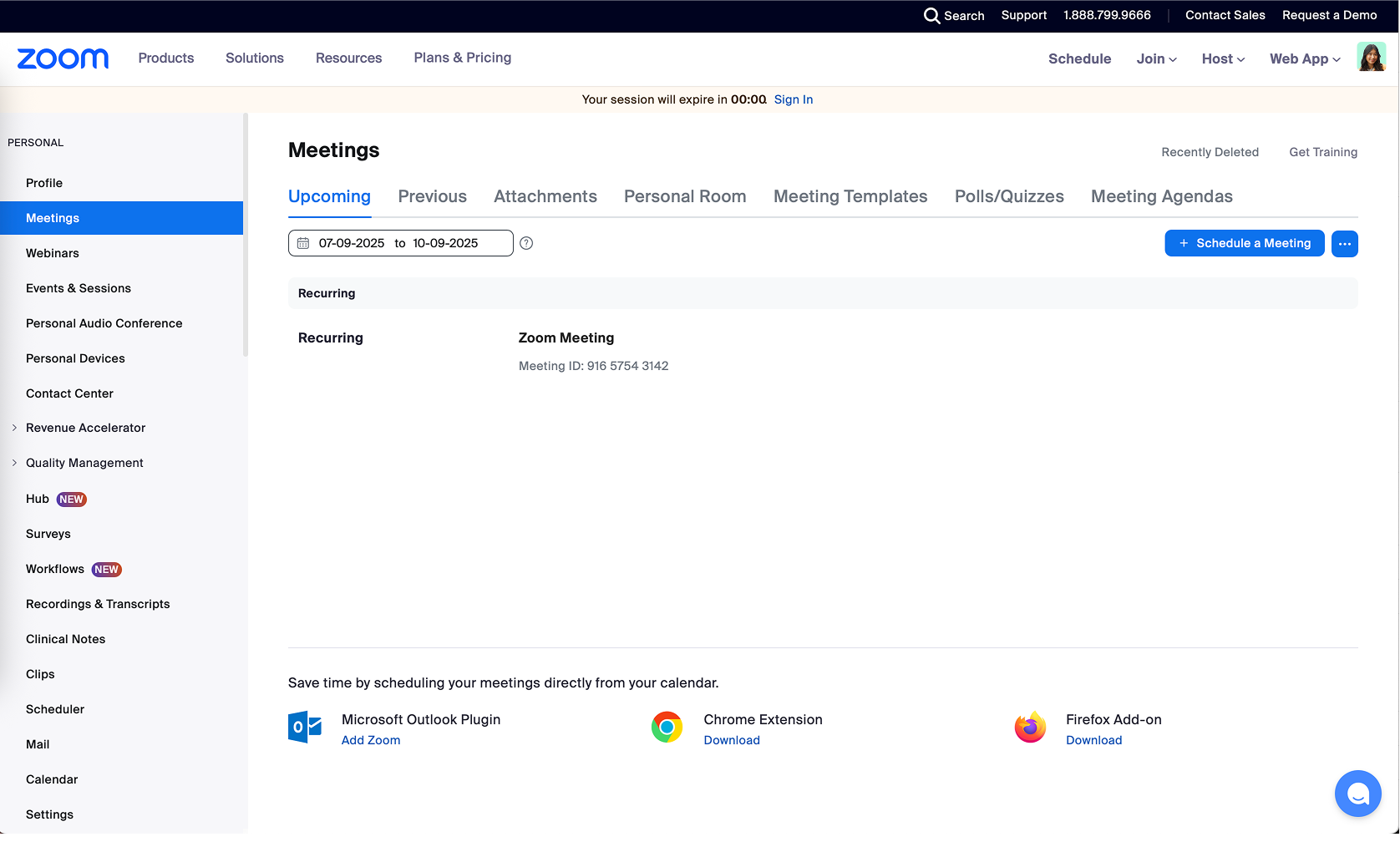
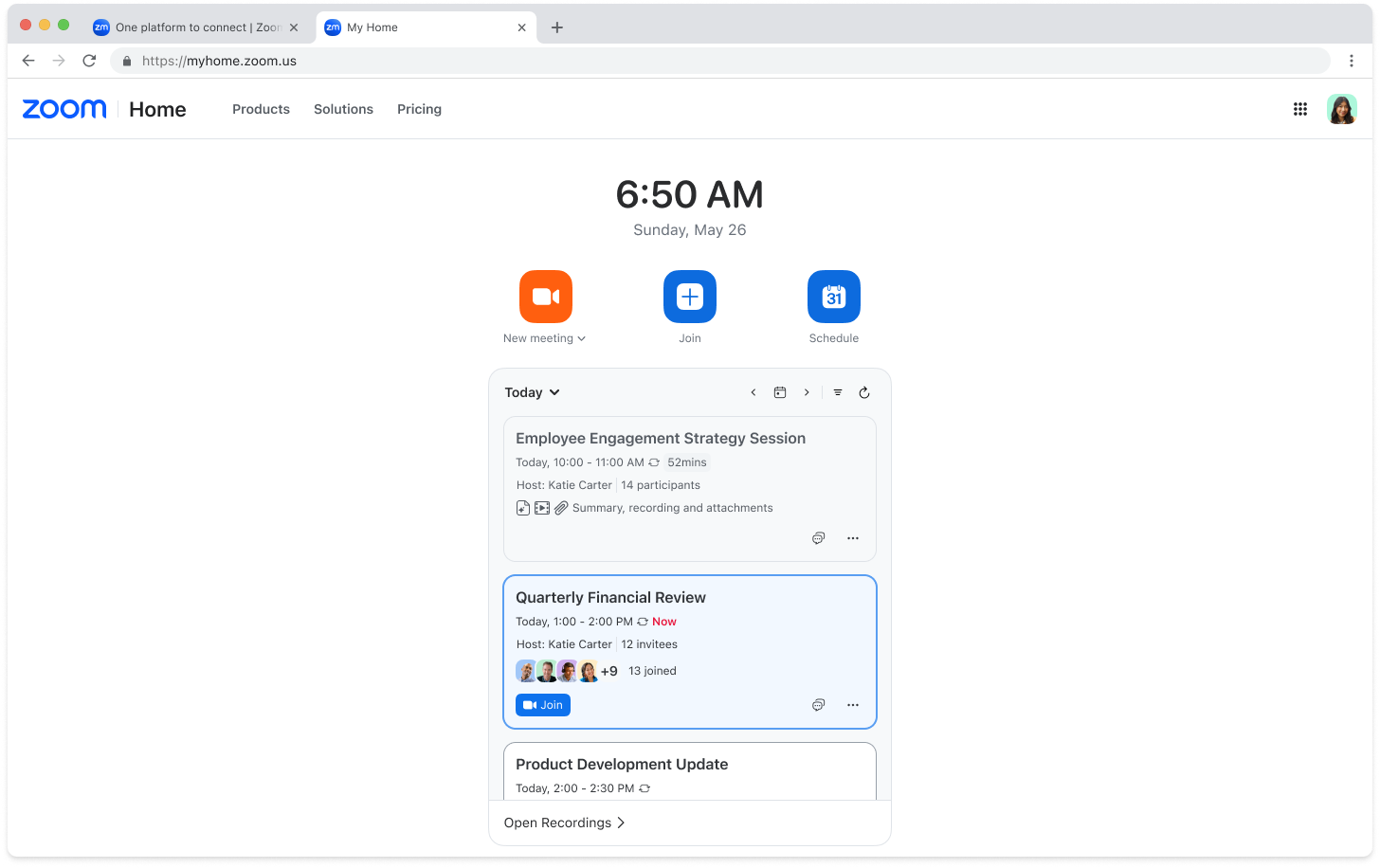
The web signed-in homepage offers a cleaner layout, similar to the desktop app, with quick access to the universal header and options to start, join, or schedule a meeting.
Before:
After:
Product Waffle Menu
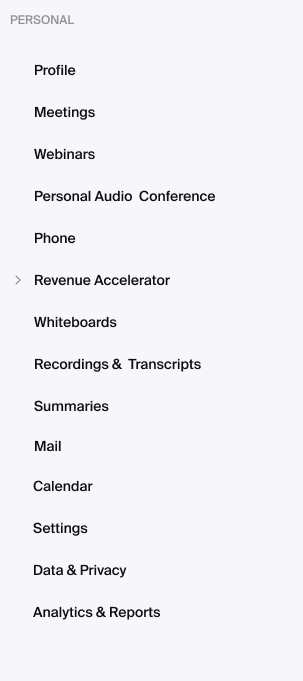
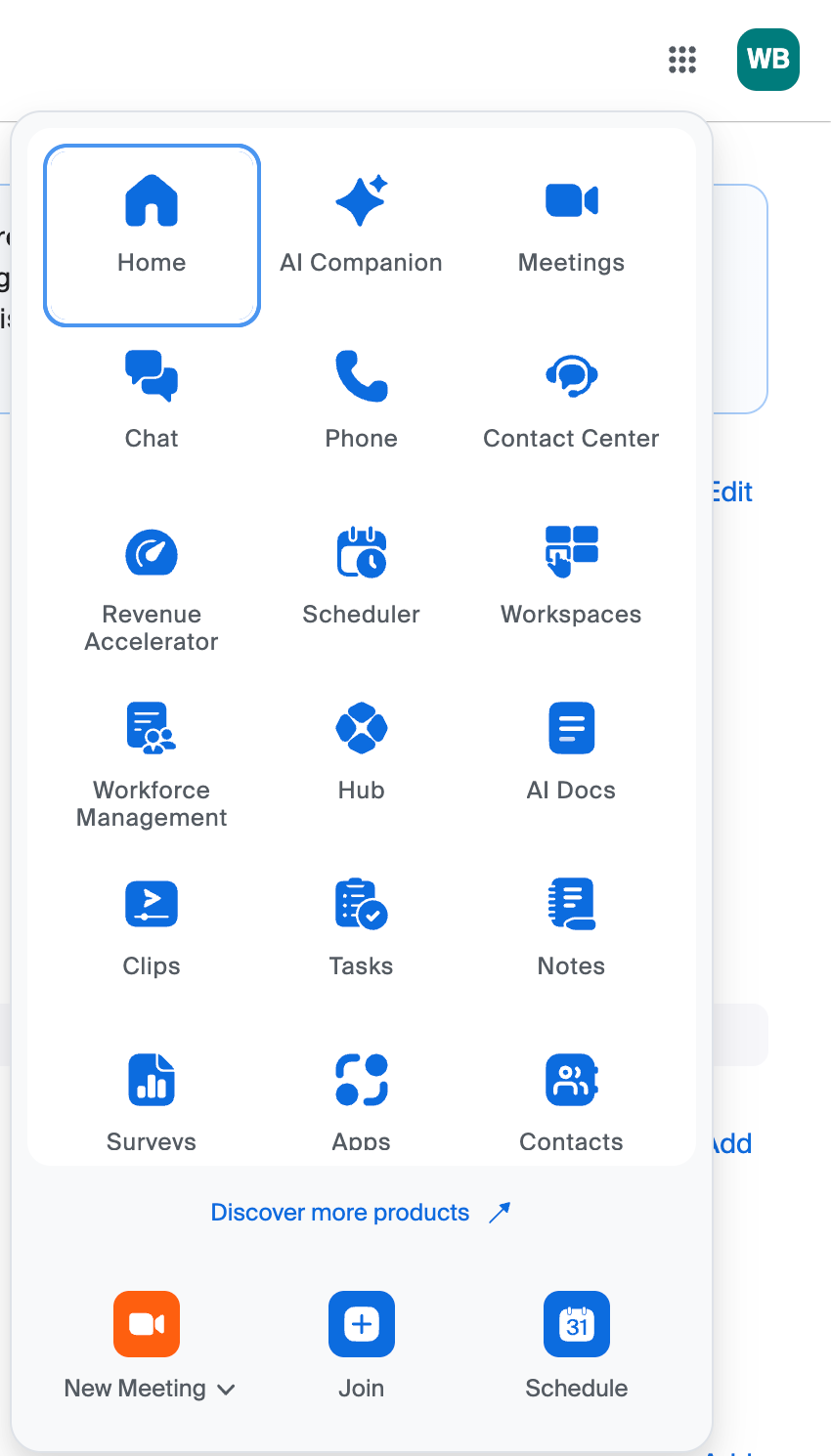
Located in the top-right corner of the universal header, the product waffle menu replaces the previous left navigation panel and provides a unified cross-product navigation. It opens each product in a new tab on the web allowing users to configure a product’s settings on its own page. To customize how the products appear, click the product waffle menu, then drag and drop items to reorder them.
Before:
After:
Profile Menu
Located in the top-right corner next to the product waffle menu, the new Profile menu has more options and provides a clear split between personal and admin controls through My account. Users can click My account to access their personal profile settings.
My Account
In My account, users can manage their profile and product-specific settings for personal use. Some features that were originally accessible from the left navigation menu were moved under My account, such as:
- Profile: Manage your personal profile information, including your name and picture.
- Reports (previously Analytics & Reports): Access usage reports for meetings, webinars, and more.
- Personal Contacts: Store and manage your personal contacts in Zoom.
- Personal Devices: Manage collaboration devices configured on your account.
- Settings: Enable or disable Zoom features for your own use.
Note: Settings can be turned on or off and locked by account owners and admins.
- Recordings and Transcripts: Access your cloud recordings, recordings shared with you, computer recordings, and transcripts.
- Summaries: Access your AI Companion meeting summaries and summaries shared with you.