Reporting Suspicious Microsoft Authenticator Prompts
September 2026
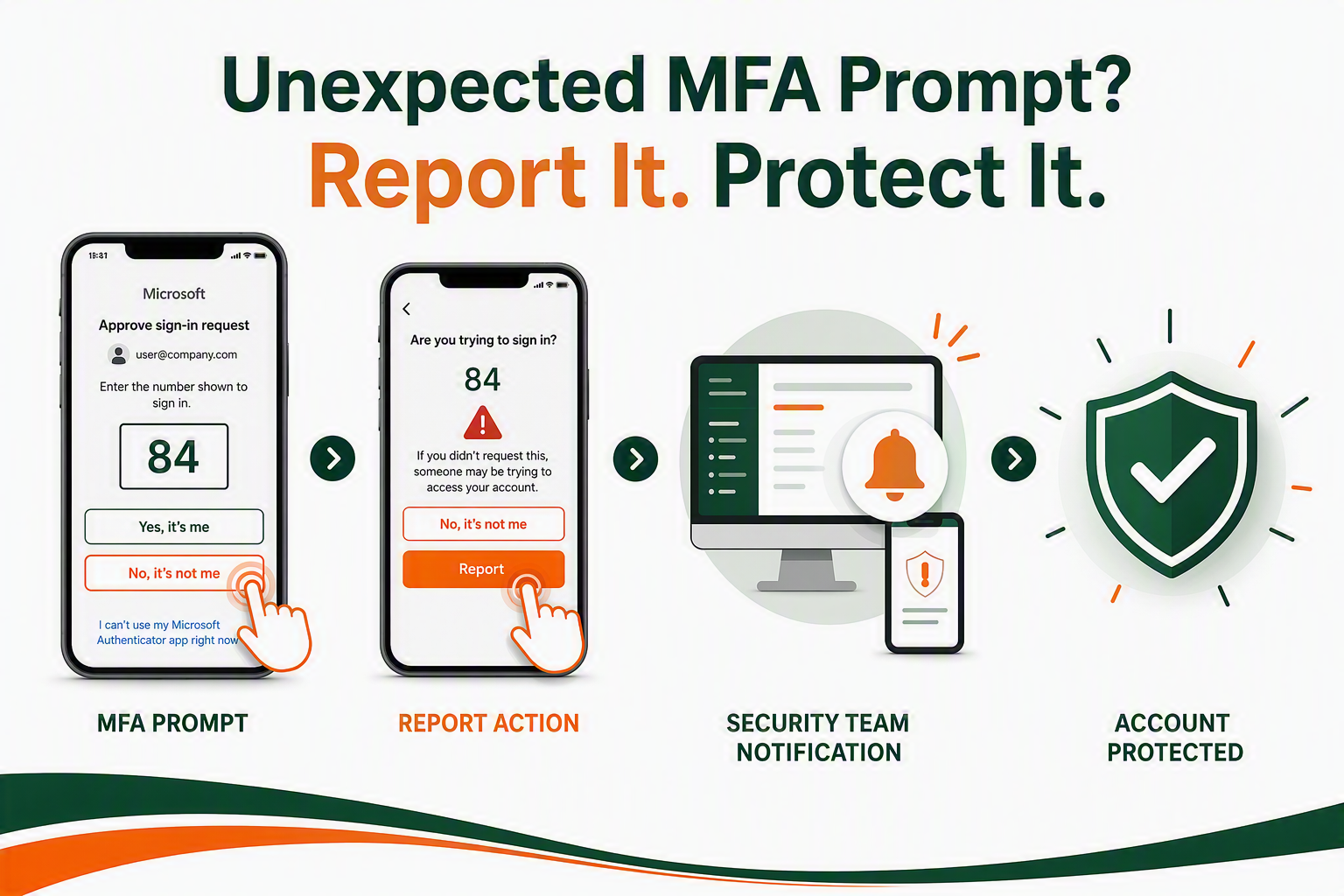
Multi-factor authentication (MFA) is one of our strongest defenses against cyber threats. However, attackers sometimes attempt "MFA fatigue" style attacks, sending multiple notifications to your phone hoping you will accidentally approve one.
To combat this, as of Monday, September 28, University of Miami Information Technology & Systems (ITS) is enabling a direct reporting feature within the Microsoft Authenticator app.
How to Report an Unauthorized MFA Prompt:
If your phone buzzes with an MFA request that you did not initiate (meaning you are not currently trying to log into a UM system), follow these two simple steps:
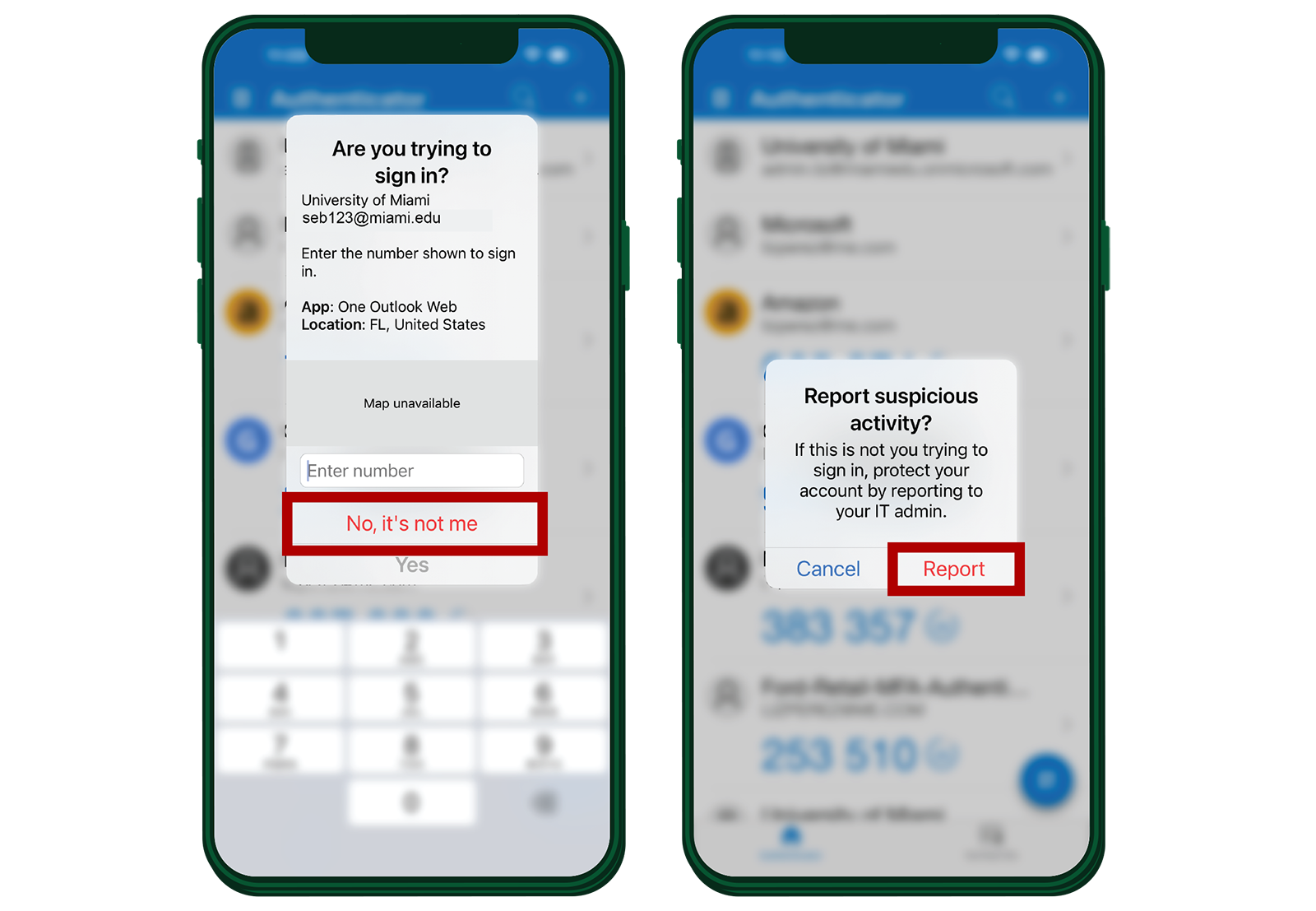
Step 1: Deny the Request
When the notification appears on your device, do not approve it. Instead, tap the "Deny" option.
Step 2: Report the Activity
A secondary screen will appear asking if you would like to report the suspicious activity to your organization. Tap "Report."
What Happens Next?
Once you click "Report," the following happens automatically:
- To help protect your University account, access will be temporarily restricted while the IT Security team investigates the suspicious sign-in attempt. This immediate action helps stop unauthorized individuals from accessing your account and protects University information while the activity is reviewed. IT Security will work with you to restore access as quickly as possible.
Remember: If you did not initiate an MFA prompt, reporting is always the right thing to do!
Best Practices for MFA Safety:
- Be mindful: Never approve an MFA notification unless you are actively logging into a University system (e.g., CaneLink, Workday, Blackboard, Outlook).
- Don't guess: If you receive an unexpected prompt, treat it as a threat and report it.
- Change your password: If you receive unexpected prompts frequently, your password may be compromised. Change it immediately via the CaneID Self-Service portal.
Need Help?
For 24/7 technical support, please contact the IT Service Desk.